


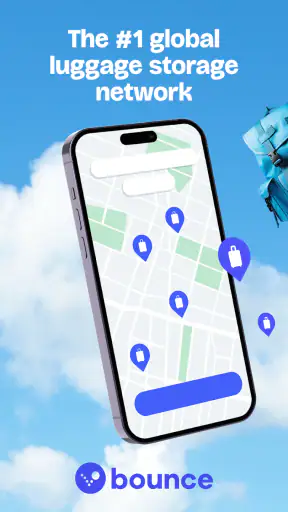



Travel days often become awkward at exactly the moment I want to enjoy them most. I may arrive before check-in, leave a hotel long before an evening train, or have several hours between transport connections with a suitcase that is too heavy to carry comfortably. Bounce: Luggage Storage Nearby is built around that very problem: finding a nearby place where I can leave my bags while continuing with the day.
After spending time with the app, I found its biggest strength is not entertainment or complicated planning. It is the way it turns luggage storage into a location-based travel task. Instead of searching broadly for “bag storage” and sorting through unrelated results, I can use Bounce, Inc.’s service to look for available storage locations near the area I need. That makes it especially useful for city breaks, early arrivals, late departures, and stopovers.
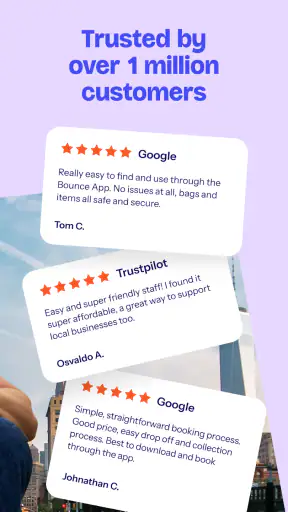
It is a free Travel & Local app for everyone, and its worldwide luggage storage network gives it a broader purpose than a single-station locker finder. The Android version I reviewed is 4.420.0 and requires Android 8.0 or later. Its average rating is 4.7 from around 14 thousand ratings, with more than a million installs, so it has clearly reached a substantial travel audience.
How the app works when your travel day depends on a connection
The first thing to understand is that Bounce is most useful when I have a phone connection at the point where I need to make a decision. The practical workflow begins with a destination: a neighborhood, station, attraction, or other place near where I want to spend time. From there, the app helps me look for luggage storage nearby rather than making me plan my day around the location of a distant locker.
That network-dependent design makes sense for this kind of service. Storage availability, location details, booking information, and directions are all more useful when they reflect the current situation. I would not treat the app as something to explore casually in airplane mode or as a replacement for a printed travel plan. My best experience came from opening it before leaving a hotel, while connected to reliable Wi-Fi or mobile data, and making the storage decision before I started walking with heavy bags.
There is an important distinction between finding a place and reaching it. A result can look convenient on a map, yet the walk may feel very different with a large suitcase, a child, or a tight departure schedule. I recommend checking the surrounding route before committing. A location close to a tourist attraction may still involve stairs, crowded sidewalks, or a detour from the station. Bounce helps with the discovery stage, but I still need to apply ordinary travel judgement.
For me, the most useful habit is to search from the point where I will actually spend time, not merely from the city name. If I am visiting a museum district, I search around that district. If I am catching a train later, I compare locations near the area I want to visit with those closer to the station. This avoids a common mistake: choosing the cheapest-looking or nearest-looking result without considering the complete route for the day.
A realistic arrival-day routine
Imagine arriving in a city in the morning when accommodation check-in is still several hours away. I would connect to the station Wi-Fi or mobile data, open Bounce, and search near the neighborhood I plan to explore. After reviewing the available places, I would choose one that reduces backtracking rather than automatically choosing the closest point on the map.
Before leaving the station, I would save the address and check the walking route while I still had a stable connection. I would also keep the booking details easy to reach in the app. That small preparation matters because the most stressful moment is often not the search itself; it is standing outside an unfamiliar building, carrying luggage, and trying to work out whether I am at the correct entrance.
Once the bags are stored, the rest of the day becomes much more flexible. I can visit a café, walk through a shopping area, or see a landmark without dragging luggage over uneven streets. Later, I return to collect the bags and continue to my accommodation. In this scenario, the app is valuable because it changes the shape of the day, not because it offers a long list of travel features.
Why mobile context matters more than a desktop search
A website search can help me research luggage storage before a trip, but the mobile app is better suited to decisions made while moving. Location is more relevant when I am already near a station or attraction, and the phone is the device I will use to check directions and booking information. That makes the app feel like a practical travel tool rather than a planning database.
There is also a trade-off. Mobile convenience depends on battery, signal, and attention. A traveler who is rushing between platforms may not want to compare several locations on a small screen. I get better results when I do the first search during a calm moment, then use the app later for confirmation and navigation. The less time I spend making decisions in a crowded station, the smoother the experience tends to be.
I would also avoid assuming that every location is equally convenient for every type of luggage. A compact backpack is easy to carry a few blocks, while a large suitcase changes the calculation. Parents with strollers and travelers with mobility concerns should be especially careful about the final walking distance and the physical route. The app can help identify storage near the right area, but the map alone cannot tell me how tiring the journey will feel.
Where connectivity helps, and where it can create friction
Planning around weak signal or expensive data
Travel connectivity is rarely consistent. Airports may have overloaded Wi-Fi, underground stations can interrupt mobile data, and international travelers may be managing roaming costs. Because Bounce is centered on nearby locations and current booking information, I prefer to use it before entering a low-signal area. I search, review the details, and make sure I understand where I am going while the connection is dependable.
For a data-conscious trip, I would do the research on hotel or café Wi-Fi, then avoid repeatedly refreshing maps while walking. I can also take a screenshot of the address or write down the key details for my own reference. That is not a claim that the app provides offline access; it is simply a sensible backup for any travel service that relies on a phone connection. The important information should be prepared before the stressful part of the journey begins.
Travelers using a limited data plan should remember that map browsing and location searches can consume more data than a simple text message. I would search narrowly, using a precise neighborhood or landmark instead of repeatedly scanning an entire city. This also improves the quality of the results because I am comparing places relevant to my actual route rather than collecting options I will never use.
What happens when the plan changes
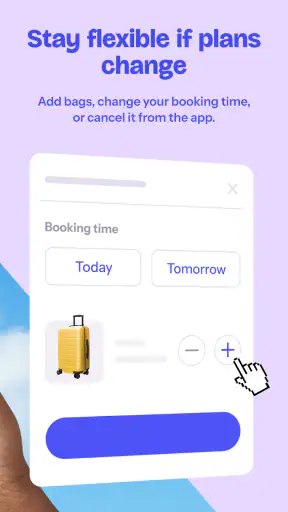
Real travel rarely follows the first itinerary. A delayed train, an unexpected change of accommodation, or a decision to visit a different neighborhood can make the original storage location inconvenient. This is where the app’s nearby-search approach is more useful than arranging a locker days in advance through a fixed station service. I can reassess the area from my phone when circumstances change.
Still, flexibility should not be confused with unlimited convenience. If I have already left my bags somewhere, moving the plan may mean returning to that location before heading elsewhere. I therefore try to choose storage based on the whole day’s movement, not just the first hour. A location near the middle of my route may be better than one beside my arrival point if I will spend most of the day in another district.
Another practical point is timing. I would check the booking details carefully before walking away from the luggage. Opening hours and collection arrangements matter more than a few minutes saved during the initial search. The app can make the reservation process easier, but I remain responsible for matching the storage choice to my arrival and collection schedule.
Recovering from a bad connection or a confusing location
If the connection fails while I am searching, my first response would be to stop moving and find a stable signal rather than wandering around following an incomplete map view. Stations, cafés, hotel lobbies, and visitor centers are often better places to pause than a busy pavement. Once connected, I can confirm the address and route instead of relying on memory.
If I reach the general area but cannot identify the entrance, I would compare the address with nearby landmarks and check whether I am on the correct side of the street. This sounds obvious, yet luggage makes small navigation errors surprisingly costly. A short detour without bags is minor; the same detour with a full suitcase can affect the rest of the day.
For that reason, I see the app as one part of a recovery plan, not the entire plan. I keep my phone charged, avoid leaving the storage search until the last minute, and retain enough travel time to handle a wrong turn. These habits are especially important for international trips, where a failed connection can be harder to solve quickly.
What I would check before committing
I would look at the location’s position relative to my actual route, the time I expect to drop off and collect the luggage, and the amount of walking involved. I would also make sure the booking information is visible before I leave the screen where I made the decision. These checks reduce the chance of discovering a practical problem only after arriving with bags.
The app is best for travelers who value flexibility and proximity. It is less compelling for someone who already has a dependable luggage room at a hotel, a station locker directly beside the platform, or a trusted local arrangement. In those cases, using Bounce may add another step rather than solving a real problem. I would also think twice if my itinerary is so tight that even a short walk to storage could put a train or flight at risk.
How it compares with familiar alternatives
Traditional station lockers are simple when they are available, empty, and located exactly where I need them. They can be a strong choice for a short stop near one station. Their weakness is that they may not fit larger luggage, may fill up during busy periods, and do not necessarily help when I want to explore a neighborhood far from the transport hub.
A hotel’s luggage room is usually more convenient for hotel guests, particularly before check-in or after checkout. However, it does not help much when I am staying elsewhere or want to spend the day across town. Bounce fills that gap by focusing on storage locations distributed around travel destinations rather than tying the solution to one accommodation.
Local search engines and map apps can reveal businesses that mention luggage storage, but they may require more manual checking. Bounce is more focused on the storage task, which saves time when I am already carrying bags and trying to make a quick decision. The trade-off is that I am using a dedicated service, so I should still read the location details and judge whether the arrangement suits my itinerary.
For a traveler who wants a single, fixed locker beside a platform, a station service may feel clearer. For someone exploring a city between two bookings, Bounce is the more adaptable option. That difference is the real reason I would recommend it: not every traveler needs luggage storage, but the right nearby location can be far more useful than a theoretically cheaper option in the wrong place.
Who should use it, and who should skip it
I think the app is particularly well suited to city-break travelers, people arriving before check-in, visitors with late departures, and anyone planning to explore after leaving accommodation. It is also helpful when a group wants to split up for a few hours without assigning one person to guard the luggage. The free download lowers the barrier to trying it when a travel day suddenly becomes inconvenient.
I would be more cautious if I were traveling with fragile equipment, medication, valuables, or anything I cannot comfortably place into a storage arrangement. Those items deserve a personal plan rather than being treated like ordinary travel bags. Likewise, travelers with a very strict connection should prioritize a storage point that is unquestionably on the route, even if another result appears closer on the map.
The everyone age rating makes the app broadly approachable, but that does not remove the need for adult judgement around luggage, timing, and unfamiliar locations. A younger traveler may be able to use the search interface easily, yet an adult should still make sure the storage plan is sensible and that the person collecting the bags can manage the route.
My final view on staying connected with Bounce
Bounce, Inc. has made a focused travel app for a problem that is easy to underestimate. Carrying luggage can turn a few free hours into a logistical chore, and finding storage near the place I actually want to visit can restore that time. The worldwide network is the central appeal, while the mobile format makes the service useful during changing travel days.
My recommendation comes with one clear condition: prepare while connected, not after the signal has disappeared. Search from the right neighborhood, compare the location with your full route, check the collection timing, and keep the essential booking information accessible. Those steps make the app much more dependable than simply tapping the first nearby result.
It is not the right answer for every journey. A hotel’s own luggage room or a station locker may be quicker when one is directly on the route. Bounce earns its place when those usual options are unavailable, inconvenient, or too far from the part of town I want to enjoy. For flexible city travel, its strongest feature is the freedom to stop planning around a suitcase.
With more than seven hundred reviews and its established presence on Android, the app feels like a practical option worth keeping installed before a trip, even if I only need it once. I would not rely on it without a connection or without checking the route carefully, but when used with that preparation, it can turn an awkward arrival or departure day into a much more manageable one.


